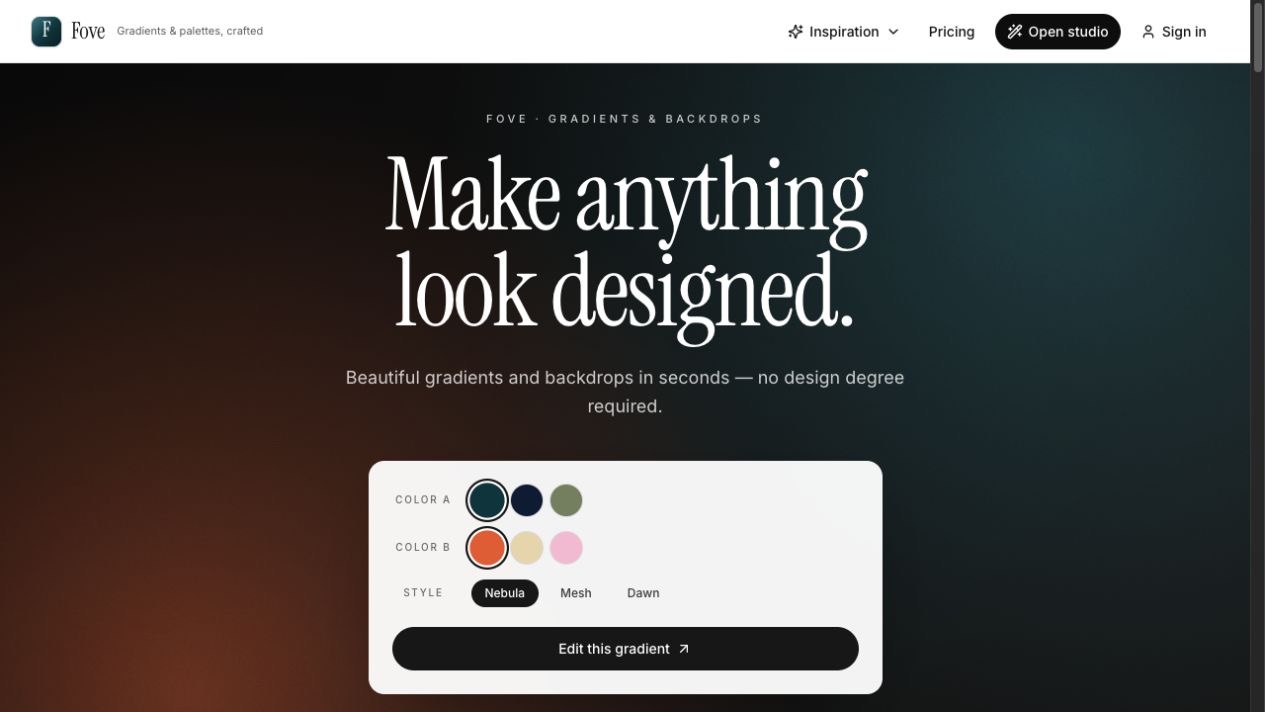
Fove
Fove is a gradient and backdrop studio for people who want something to look designed without having to wrestle with color theory for an afternoon. It helps create polished backgrounds for slides, landing pages, social posts, product screens, email headers, and any other place where a flat color feels a little too unfinished.
The studio combines palettes, gradient styles, textures, aspect ratios, and export options into one focused workflow. You can tune a gradient, preview it in context, and export it as PNG, JPG, SVG, or CSS. Fove also checks contrast while you work, picks readable text colors, and helps keep the result usable instead of merely pretty.
Why I built it
I often need a quick visual foundation: a slide background, a landing page hero, a cover image, or a soft product backdrop. Most tools either start too blank or become too elaborate for that job. Fove sits in the middle. It gives you a set of strong defaults, enough controls to make the result yours, and exports that can move straight into the next tool.
The name comes from the fovea, the small part of the eye where detail and color are sharpest. That felt like the right metaphor for a product about making color land well: gradients should feel pleasing at a glance, but still hold up when they are used in real work.
Built with Lovable and Codex
Fove was built in June 2026 with an AI-assisted workflow. Lovable helped shape the first product experience quickly: screens, flows, components, and the overall feel of the app. Codex then helped refine the implementation, connect pieces more deliberately, tighten edge cases, and keep the product moving from prototype toward something shippable.
That combination made the work feel different from a traditional solo build. I could stay closer to product judgement while still iterating through code, design details, and implementation tradeoffs. The result is a small tool that feels finished enough to use, but still flexible enough to evolve.
Gradient examples
Here are a few live gradients created with Fove and embedded directly from the studio.
Nebula
Mesh
Solo
What it supports
- Palette-based and manual color selection
- Gradient styles like nebula, mesh, smudge, dawn, halo, and more
- Textures such as clean, fine grain, soft grain, paper, silk, mist, and film
- Aspect ratios for slides, social formats, and screen backgrounds
- Live contrast checks and readable text color choices
- Export to PNG, JPG, SVG, and CSS
- Saved palettes and gradients with a free account
Fove is available at fove.design.